Subscriptions on NCTX Buses App
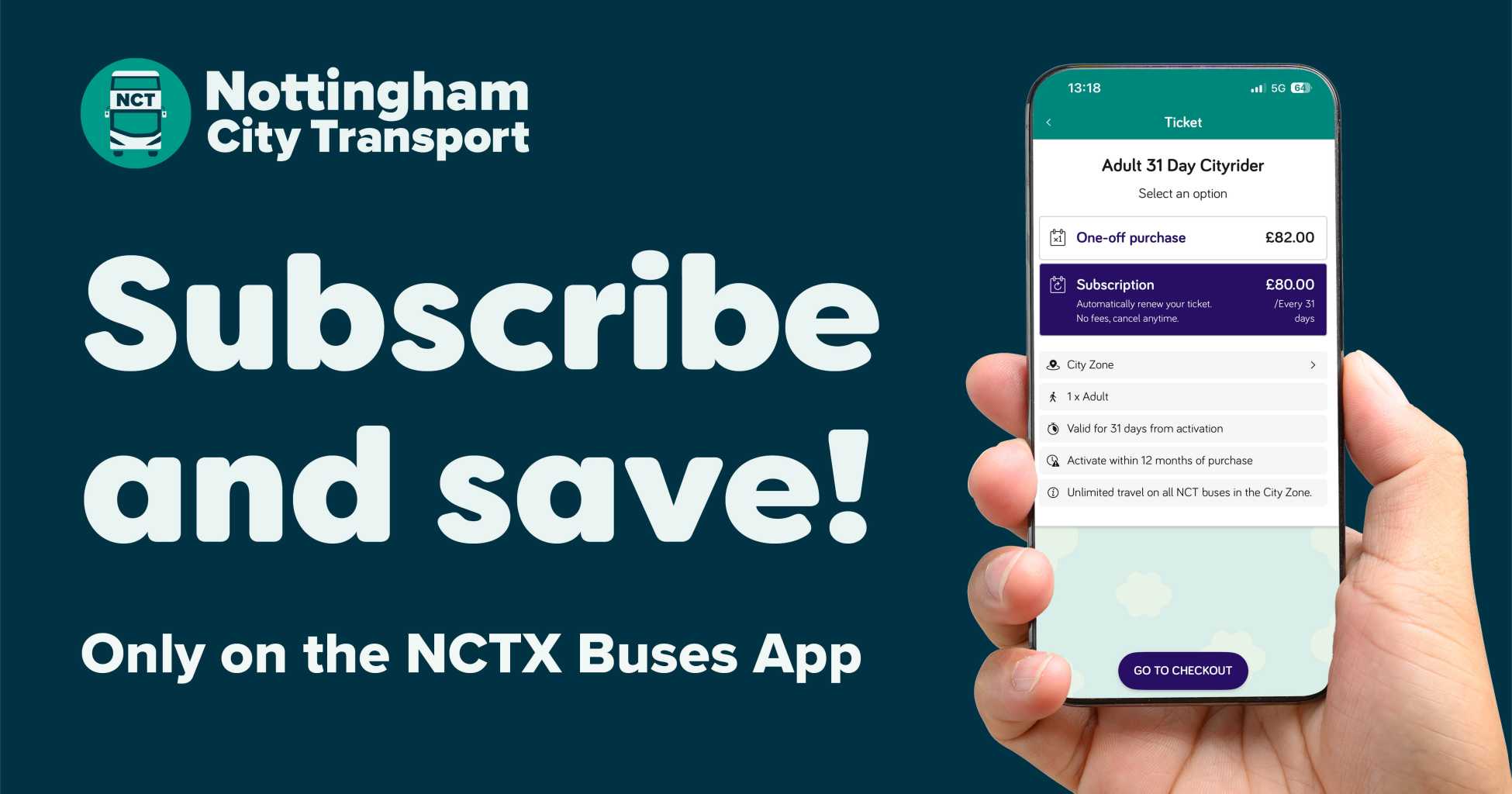
Save Time, Hassle and Money with Subscriptions on NCTX Buses App
- No need to remember to top up!
- Save £2 per month by subscribing!
- Ideal for people who buy monthly travel every month!
You can save time, hassle and money by subscribing to our Adult 31 Day tickets on the NCTX Buses app.
Just as you do with your Netflix, Disney+ or gym membership, you can now set up a subscription for your NCT bus travel, where we automatically take your payment on a monthly basis.
We’ve launchied subscriptions on our two most popular products – Adult 31 Day Cityrider an Adult 31 Day Network Rider – and we’ll add more products if subscriptions prove popular.
How to Subscribe
Head to the NCTX Buses app and select the product you want to purchase.
Where a subscription is available, you will see a One-off and Subscription price.
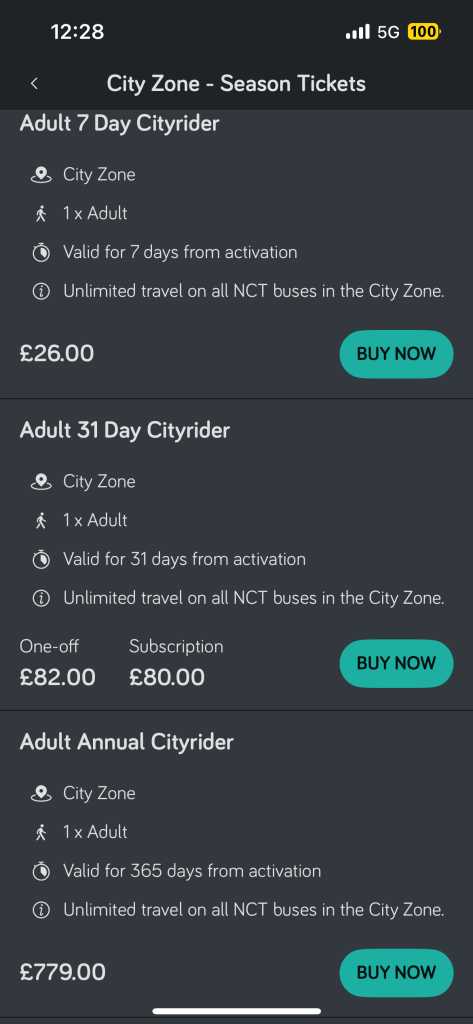
After selecting the ticket, select Subscription and then Go to Checkout.
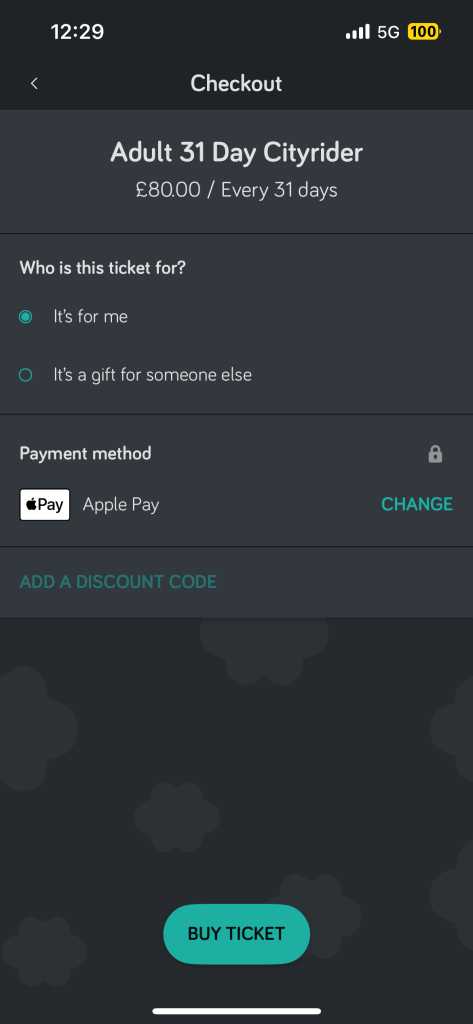
Enter your payment details in the Checkout. Once purchased, this confirms you give us the authority to take a recurring payment from that card until you cancel.
FAQs:
How Much Travel Do I Get?
With a subscription, we take the payment at a recurring interval (every 31 days) and provide you with a 31 day product, every 31 days.
Each subscription will add a new product to your account – it is not continuous travel. Each product is activated separately.
If you activate a ticket a couple of days after you receive it, the next payment and product will still be added to your account 31 days after you received the last product (i.e. when a live product is still active).
The new product is not added 31 days after the last ticket was activated.
Each product still has to be activated within 12 months of receiving it.
Where Can I See My Subscriptions?
You’ll find your active subscriptions in the NCTX Buses app under Settings then Subscriptions. If you need to cancel the subscription, this is where you do it.
Price Changes
When there is a change in price, all new customers will pay the new price immediately.
Existing customers will not be charged the new price until the next payment cycle. If the price change comes during an existing customer's current billing cycle, then the new price will be reflected in the subsequent one.
For example, if your payment comes out on the 10th of May and your 31-day subscription plan changes in price on the 12th of May, you would be charged the old price from the 10th of May, but would be charged the new price the payment cycle after that.
Cancellations
If you want to cancel your subscription, head to Settings and then Subscriptions.
Any product already purchased under a subscription will continue to be active until it expires. The cancellation will take effect from the next date that the recurring payment would have been taken.
For example, if you set up your first subscription to be taken on the 14th February 2026 and then cancel on the 25th June 2026, the June payment will have been taken, but no payment will be taken in July.
The June product will still be available, but if you want a refund or partial refund on that product, you need to apply to us for a Refund.
What Happens if my Future Payments are Not Successful?
If a subscription payment is declined by your card issuer (e.g. insufficient funds), our payment provider will try to take the payment again 3 days after the scheduled payment date. If this payment fails, they will try again 5 days after the second attempt. If this payment fails, they will try again 7 days after the third attempt. If the third attempt fails, no further attempts will be made and you will need to cancel your subscription and re-subscribe.
Travel will only be added to your account when a successful payment is made.
Your next payment will still be on the original day you gave us permission to charge your card. It will not be 31 days after the payment was successfully taken. If you want to change your payment date, you will need to cancel your original subscription and re-subscribe.
Refunds
Refunds are handled in the same way as any other product. Click here to view the full Refund Policy.
Re-Subscribing
If you’ve cancelled but then want to subscribe again, you’ll need to set up a new subscription (as above) to give us the authority again to take recurring payments. Where we detect unusual behaviour with irregular subscription patterns, your account may be restricted from having a subscription and your account blocked.